CalendarPad
A calendar-first planner for iPad users who want handwritten calendar pages, Apple Calendar overlays, widgets, exports, and backups.

iPad · iOS 17.6 or later
Best for
The classic handwritten iPad calendar.
- Calendar planning
- Apple Pencil calendars
- Printable planner pages
- Simple iPad planning
Why it matters
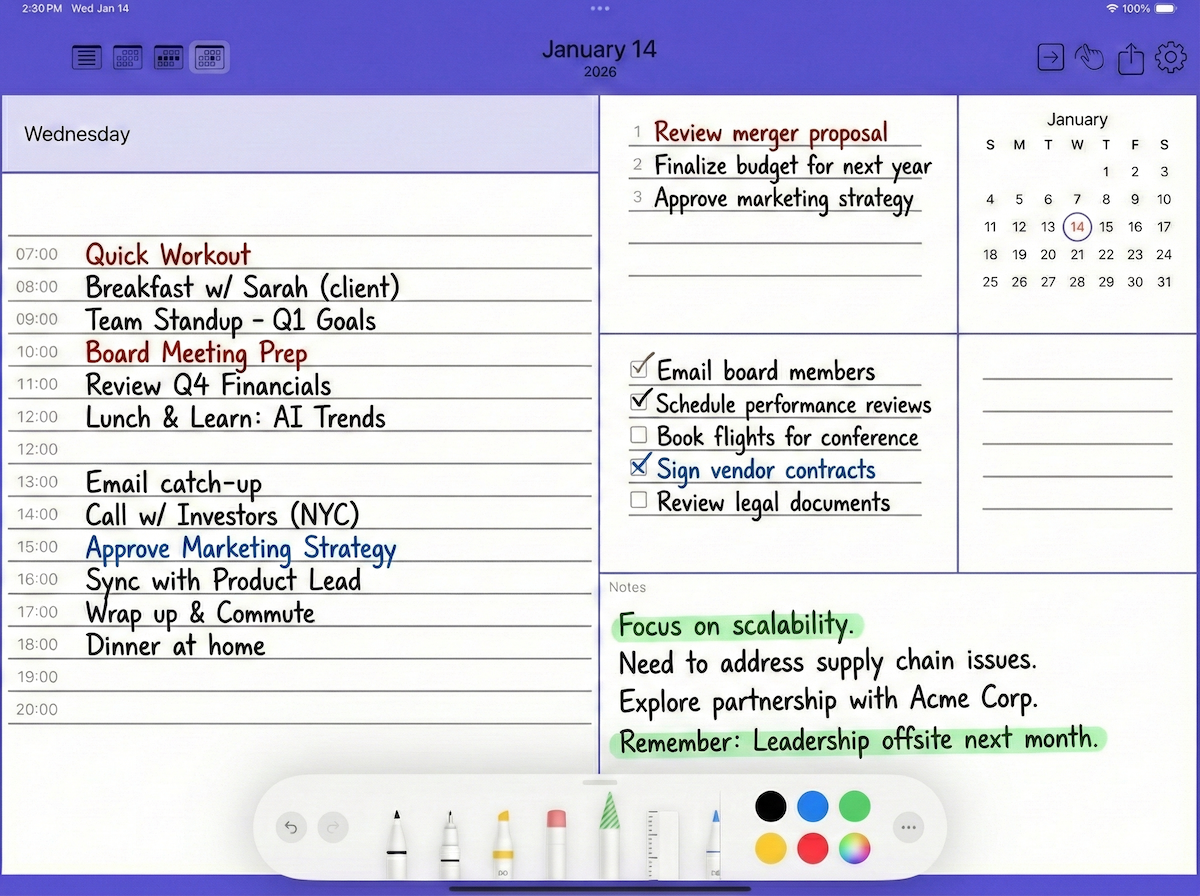
CalendarPad is a handwritten calendar planner focused on year, month, week, and day planning with Apple Pencil.
Features
Designed around real workflows.
Write directly on calendar pages
Handwrite on Year, Month, Week, and Day calendar views with a familiar paper-calendar feel and flexible PencilKit drawing tools.
See calendar context
Overlay selected Apple Calendar events on planner pages so handwritten notes and scheduled events can live together.
Export and share your planner
Export calendar pages as PDF or PNG for sharing, printing, archiving, or keeping a separate copy of your handwritten plans.
Back up handwritten calendar data
Use backup and recovery features to protect your planner data and make it easier to restore your handwritten calendar when needed.
FAQ
Common questions
How is CalendarPad different from PencilTime?
CalendarPad focuses on calendar planning. PencilTime focuses on a broader planner and notebook workflow with note pages, stickers, reminders, and bookmarks.
Can CalendarPad show Apple Calendar events?
Yes. CalendarPad can overlay selected Apple Calendar events directly on planner pages when calendar access is enabled.
Can I export CalendarPad pages?
Yes. CalendarPad supports sharing or saving planner pages as PDF or PNG.
Guides
Learn common CalendarPad workflows.
Need the full guide?
The app includes embedded help. You can also download the current PDF guide for reference.
Download PDF guide